Use credits when AI runs
Credits apply to supported generation actions that call Quiyo’s AI services.
Use credits for supported AI actions such as question generation, study-resource creation and other AI-assisted workflows.
 QuiyoAI-powered quiz studio
SUPPORTED BY LEADING TECHNOLOGY ECOSYSTEMS


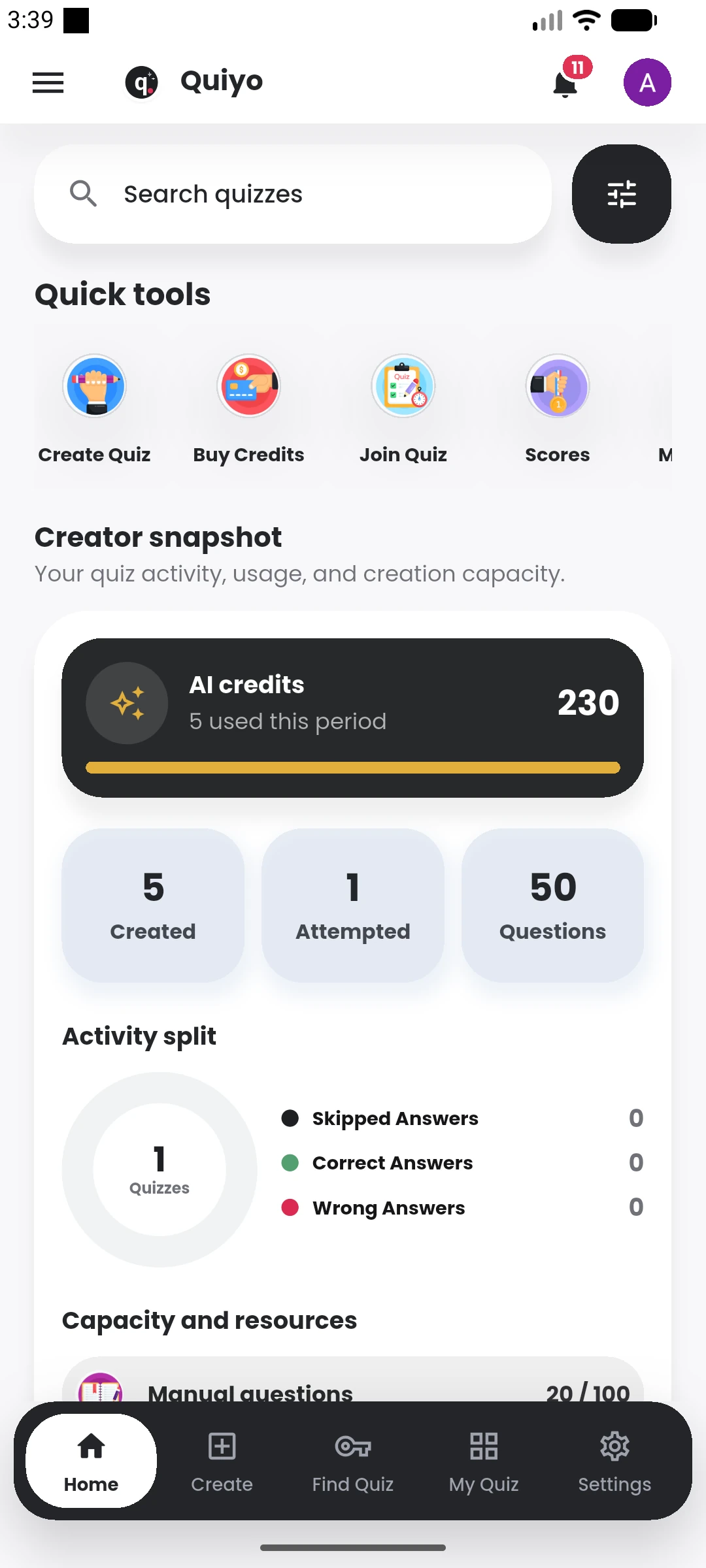
Credits apply to supported AI actions such as generating questions and producing study resources. The app shows usage so users can see how much capacity remains.
Some assessment actions can follow different charging rules depending on the workflow, so the final usage is shown in the product before or after the relevant action.
Credits make AI usage visible and controllable across generation actions.
Credits apply to supported generation actions that call Quiyo’s AI services.
Taking a quiz or using non-AI controls does not become an AI charge simply because the quiz was AI-generated.
Purchase additional credits when the included balance is no longer enough for planned generation.
See credit activity so you understand where the balance is being used.
AI credits cover generation work that requires Quiyo to process source material or create new study and assessment content. This includes quiz generation and other AI-assisted actions where the amount of work can vary with the request.
Credit usage is kept separate from ordinary actions such as taking a standard objective quiz, viewing an existing result or managing content that has already been generated.
Institution accounts can also work with shared AI allocation so administrators can understand how generation capacity is being used across staff instead of treating every purchase as an unrelated personal transaction.
Credit packs add AI capacity to an existing account. The account plan continues to define its workspace and access level.
Review how credits are used and the current top-up options.