Review attempts
Open an individual submission with its score and answer-level result while keeping the quiz context attached.
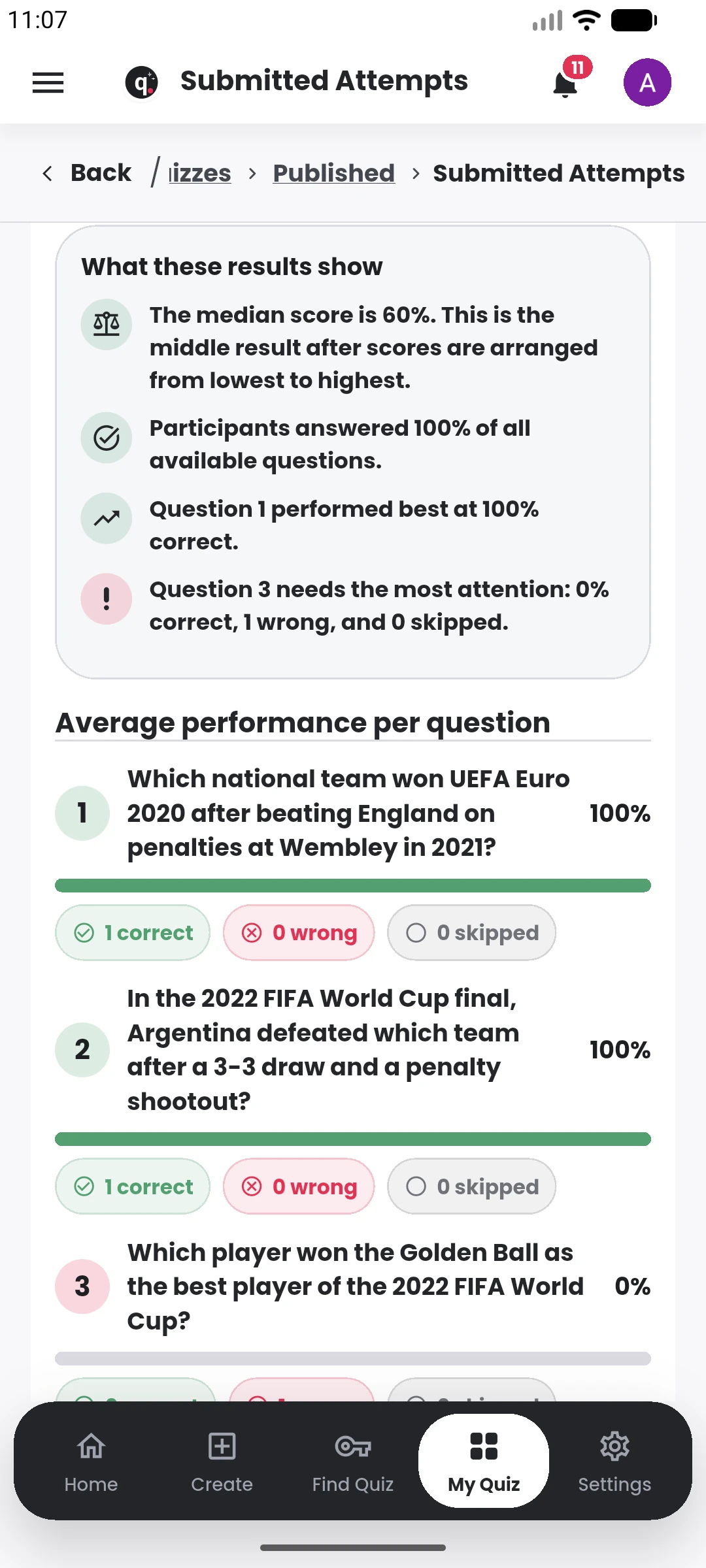
Review individual attempts, compare outcomes and use question-level performance to understand what happened after submission.
 QuiyoAI-powered quiz studio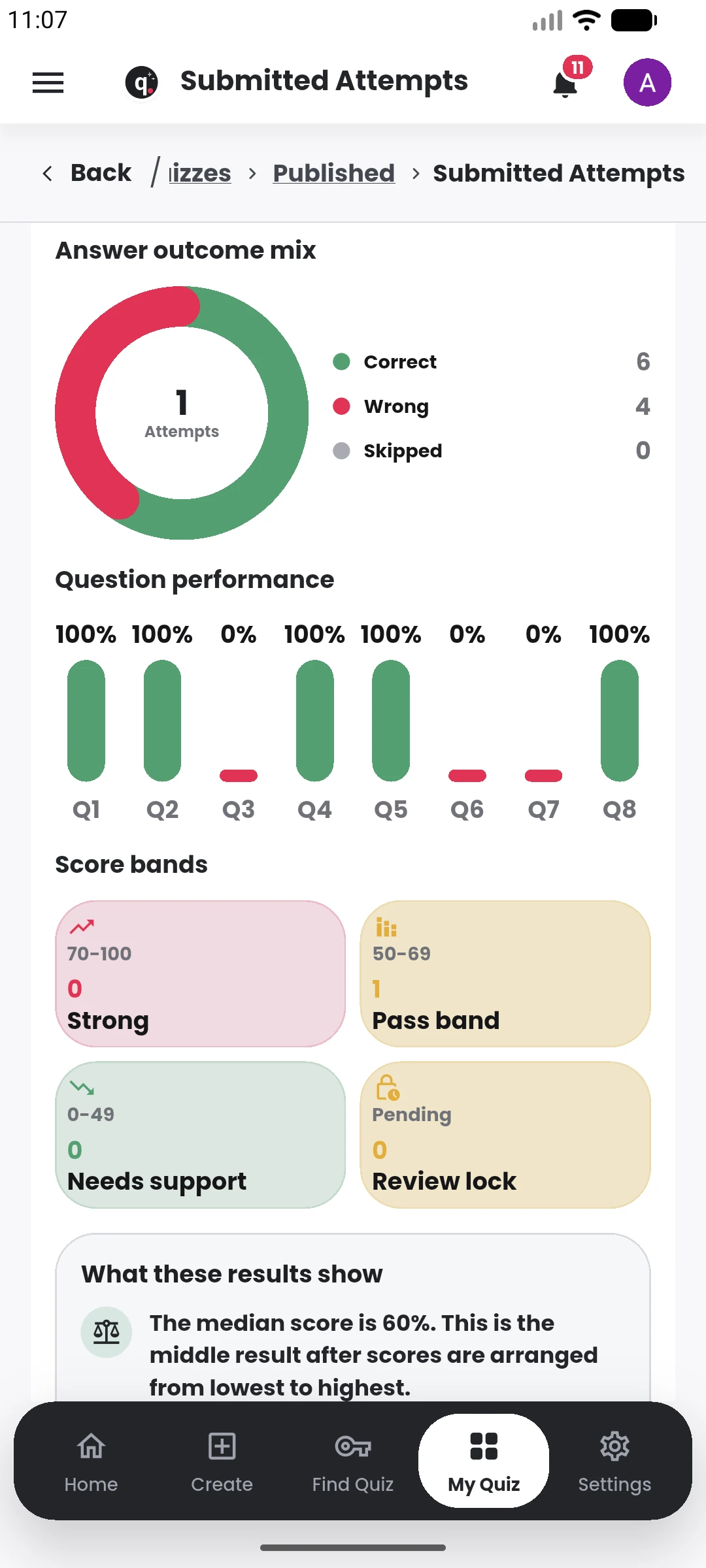
SUPPORTED BY LEADING TECHNOLOGY ECOSYSTEMS


Quiyo keeps attempts, scoreboards and answer-level review attached to the quiz that produced them. That makes it easier to understand both participant performance and question quality.
Creators can move from an individual attempt to broader analytics, identify questions that caused problems, handle corrections and export records when needed.
Results are kept close to the quiz so a creator can review performance, investigate weak questions and reuse what worked.
Open an individual submission with its score and answer-level result while keeping the quiz context attached.
Use scoreboards and result summaries to understand how a group performed.
See where participants struggled and identify questions that may need correction or replacement.
Take questions, scoreboards or result records outside Quiyo for reporting and administration.
A submitted attempt produces more than a total score. Creators can move from the scoreboard into individual attempts, answer-level review and question performance to understand what happened during the assessment.
Question-level information helps identify items that candidates consistently miss, questions that may need correction and stronger items that are worth keeping for future use. Appeals and reassessment tools provide a path for resolving issues after publication.
For institutions, the same result flow can be filtered and reviewed across larger participant groups, keeping assessment outcomes connected to the academic structure and the question bank.
The same result data can support day-to-day quiz management and repeated assessment improvement.
Move from the overall result into individual attempts, answer review and question-level evidence.